Compilation And Execution
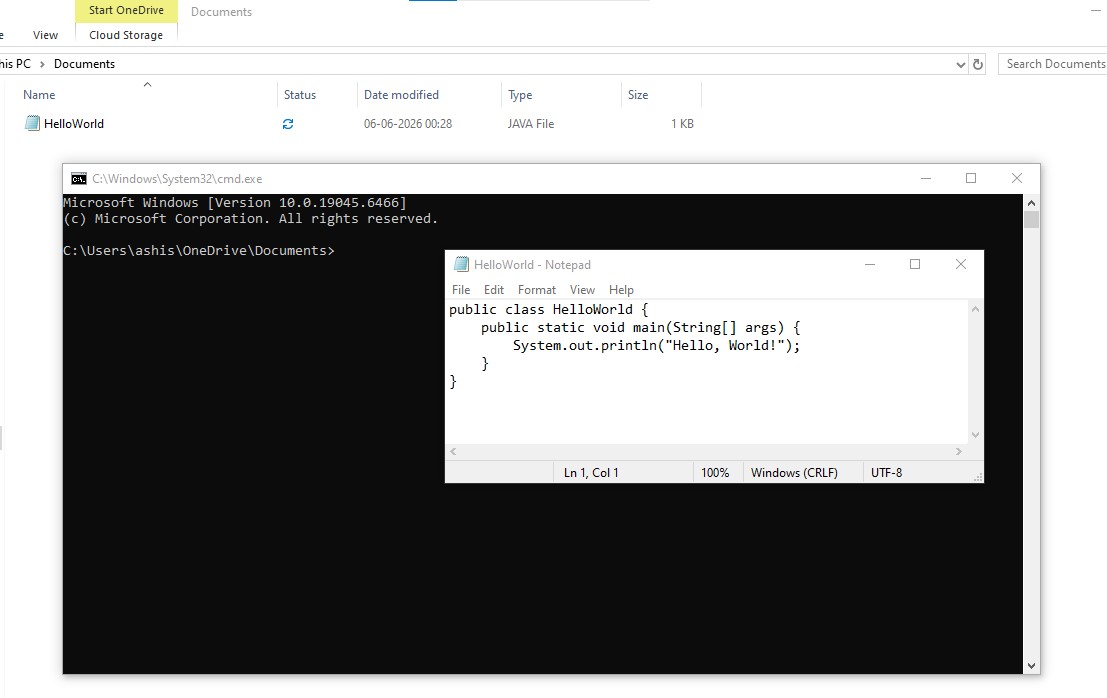
- Open notepad or any text editor and write the below code and save it as HelloWorld (with dot java extension).
Example : HelloWorld.java
public class HelloWorld {
    public static void main(String[] args) {
        System.out.println("Hello, World!");
    }
}
Note : The file name should be same as the class name and should have .java extension.
- Now open Command Prompt and navigate to the directory where you saved the HelloWorld.java file using the cd command. For example, if you saved it in the Documents folder, you can use the following command:
cd C:\Users\ashis\OneDrive\DocumentsExample :
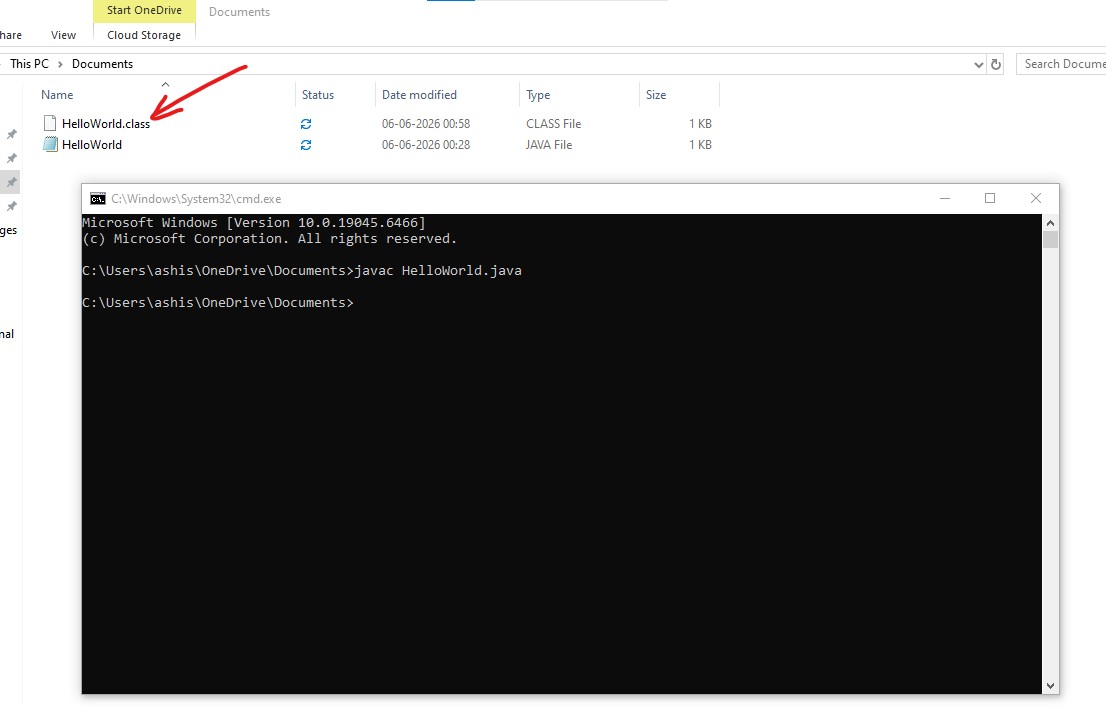
- Now to compile the Java program, use the following command:
javac HelloWorld.javaThis command will compile the HelloWorld.java file and generate a HelloWorld.class file in the same directory. The .class file contains the bytecode which can be run/executed by the Java Virtual Machine (JVM). Example :
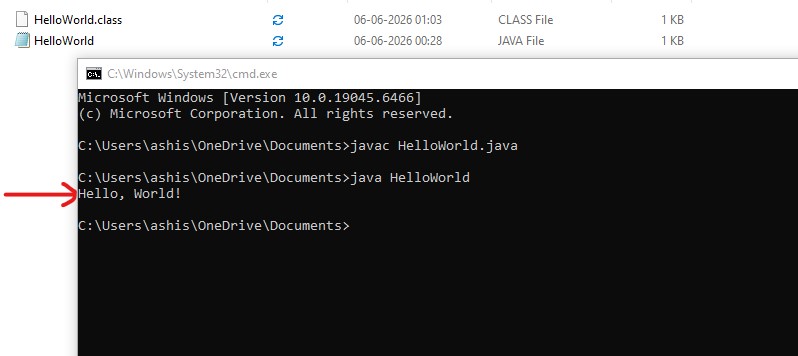
- Now to execute the compiled Java program, use the following command:
java HelloWorldThis command will run the HelloWorld.class file using the Java Virtual Machine (JVM). You will see the output Hello, World! in the Command Prompt.
Example :
Great! You have successfully compiled and executed your first Java program 🙂.
See you in next page....🙂